I’m new in this forum, but I’ve been using dawarich very successfully on my Synology NAS for about a year now.
Without this app, I would never have thought of tracking my location history. Unfortunately, I couldn’t get past version 0.25.8 because there were changes at the time that I couldn’t implement.
Now that so much has changed, family location, Android app, etc., I would like to try an update.
Unfortunately, the instructions refer to docker in the shell, which I cannot find in syno. I do have a Portainer.
Can anyone help me find the right approach to upgrade my version 0.25.8 to the current one?
I started with dawarich 0.2xx.x and always selected the latest image in Container Manager. With the switch to 0.26.0, it is necessary to convert the PostgreSQL database from 14 to 17. I did not do this due to a lack of knowledge, and the containers no longer started. My approach at the time was to switch from the latest to 0.25.8. In hindsight, that was not a smart decision.
Now I wanted to take another look at the issue. I stopped the project and performed a complete backup of the four containers and the database. Then I opened docker-compose.yml and created the entry for the service and the volume. According to the instructions at Updating to PostgreSQL 17 with PostGIS | Dawarich , step 2 is to create a dump of the database via the console. Now don’t laugh at me, but which console do I have on the Synology?
Perhaps one option would be to set up a new project and re-upload the database, but to be honest, I want to manage the update.
Is it an option for you to try and proceed without updating Postgres? If you have a backup from PG14 you can try simply update Dawarich without upgrading Postgres. It should work with no issues database-version-wise
Compare your compose to the one from the next version and made appropriate adjustments, or just follow the updating guide, the changelogs always contain instructions on how to update in case of breaking changes
But I’m following the instructions, which say to create a dump of 14 and upgrade it to 17. Trying without this database upgrade results in this ugly screen.
I’ve also noticed that the guide for updating Postgres doesn’t work. The best approach is to delete the old file it still works. It’s just that the update instructions have some gaps. As soon as you follow the guide, an error pops up. But I’m sure I’m the only one with this problem. Let’s just stick with the old database until the cows come home. I’ll look around for alternatives. That’s one way to bury a cool project.
First of all, it’s important to say that my personal data, location data, and their confidentiality are very important to me. I invest time and money to ensure that I don’t give all my data to Google, Apple, and the like. What I mean is that without this project, I would gladly do without a timeline. Now that the Family option has been introduced, I was tempted to upgrade and invite other family members.
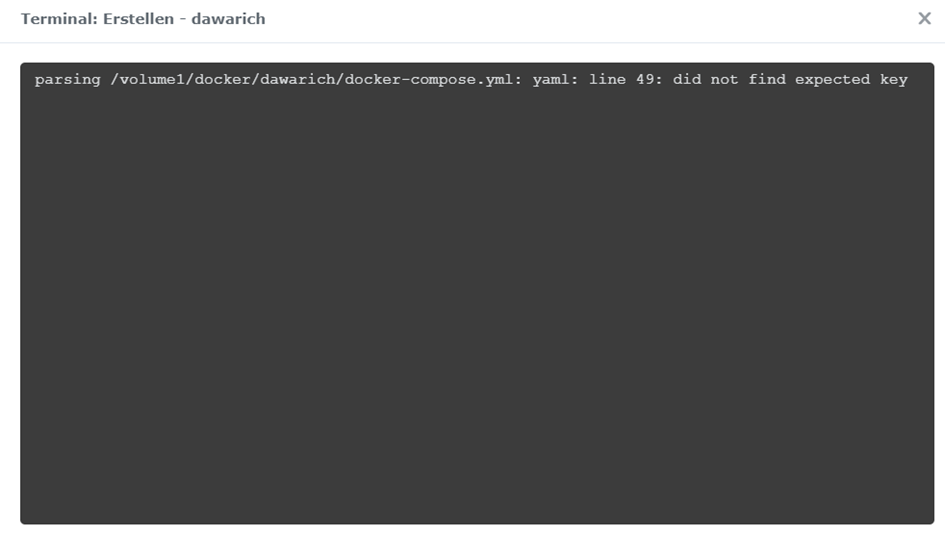
Now to the update itself. It is impossible to activate an incorrectly formatted YAML file via the Synology interface.
The problem boils down to the fact that the app container constantly restarts because it’s looking for data that simply doesn’t exist yet. I finally got Postgres working after several hours by simply installing and starting the Postgres container. This allowed the data to be imported into the new version. I consider the advice to stay on version 14 dangerous; the entire internet recommends a quick switch, since nothing is being fixed here anymore. After I was on 0.26.1, I tried upgrading to 0.27.0, which is also what the instructions specify. But SolidQueue and SolidCache, in conjunction with the app, are the final bosses. After thousands of reboot loops caused by an app container waiting for the SolidCache database that wasn’t created, I decided to use the GPX export and manually enter my 10 trips into the new project.
I highly recommend providing scripts for such major changes, just as others do. Backup data, shut down containers, convert data, load new containers, start the import, and possibly include a fix script as well. There’s a German smart-home project built on Java that’s been run this way for years. Every time a user gets help there, the donation account grows because people are being helped.
Thanks for constructive feedback! The Solid* stuff was indeed a rough path to follow, and really hope we won’t have anything similar breaking-changes-wise in the future.
What you still can do is to export your data from your 0.25.8 instance in GPX/GeoJSON format, setup the latest Dawarich version and import your data.
“After thousands of reboot loops caused by an app container waiting for the SolidCache database that wasn’t created, I decided to use the GPX export and manually enter my 10 trips into the new project.”
Is it allowed to mention the very good guide on mariushosting.com? I had troubles with my old installation (0.2.4) of dawarich and I upgraded to 1.7.8 by using his guide.