Does the app only track if I open the app?

Does this means that I have to open the app before I leave the house or does it track all the time ? it seems to me that I have to remember to open the app before I leave the house if I want to track my moving.
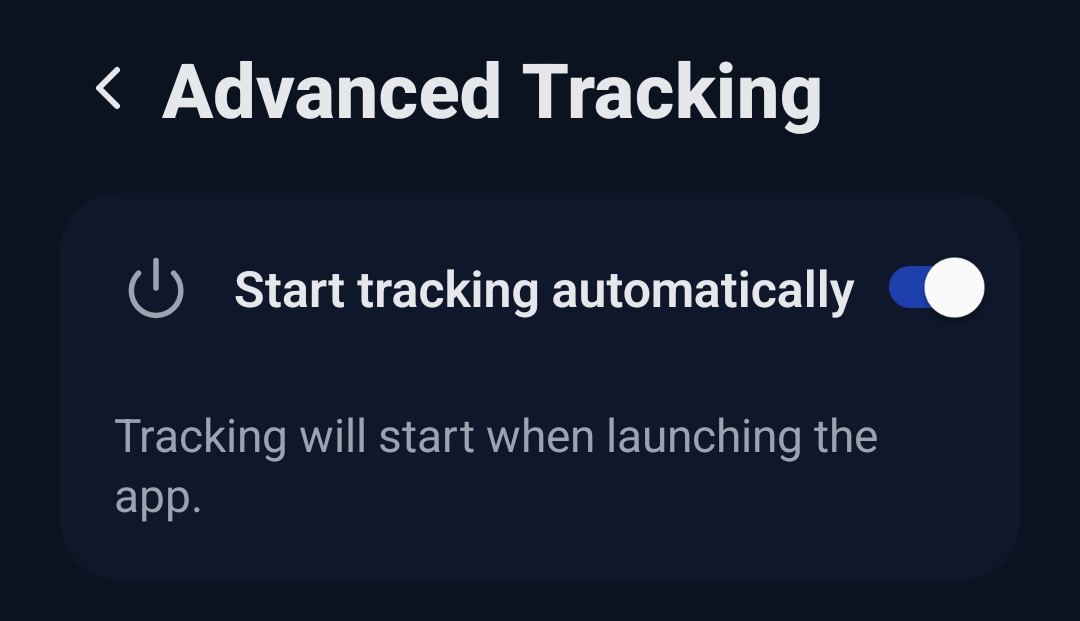
If your phone doesn’t have Dawarich in it’s memory (meaning — started), once you open the app, tracking will start automatically if the toggle is in ON position. It won’t, if it’s in the OFF position

Let us know if it’s not working that way for you

Right now I use OwnTracks which works just fine and I don’t have to remember to open up the app before I go on a small or long trip. But with Dawarich, which is ON, as you can see in my screenshot, I have to remeber to open the app before I leave the house, else it will not record any thing.

It would be really helpful if the app could start automatically on boot and run continuously in the background.
Right now I often forget to open the app, which leads to gaps in my tracking. For me it should track at all times without needing manual opening every time.

1 Like

It’ll be fixed in one of the next releases

3 Likes

On iOS I setup a Shortcuts automation that triggers when I leave the house to start Dawarich recording, and another to stop when I get home. So far in the last week it’s been 100% reliable. It gives a notification with button to acknowledge when it starts so nice confirmation too. Not sure if there’s something similar on Android?

Hey I’m sorry but I can’t reproduce this. On ios, with the automation shortcut enable it works like this:

  • starts tracking when i leave house
  • continues track to destination
  • stay at destination for several hours then leave
  • tracking does NOT continue when i leave destination
  • next tracking point is when i get home

So basically, it will track from house to destinations, but never on my way home again. It seems to go to sleep or get killed by apple when stationary for some period of time, and because you don’t have an activation shortcut for ā€œstart tracking when leaving destinationā€ it never starts tracking again.

What is the fix? @Freika i know you must be tired of these types of questions but can you please advise?

Maybe dependant on device? My 16 Pro has been solid, but I know with an older iPhone 11 I was testing with, it was unreliable at best. Like the app/background tracking would get killed more often. While on vacation I did notice that it was less reliable if I didn’t open the app at least once a day, so I setup a second set of shortcuts for when I arrived/left my hotel and that made a huge difference.

In the recent iOS app update that added the Continuous Tracking option, I’ve enabled that and I think it’s been more reliable since. I do get notifications occasional if I’ve been still for a while that its pausing tracking, or resuming tracking. If it helps, my current settings are as follows:

1 Like

Thanks for the detailed response. Well at least it confirms I’m not totally crazy and your suggestion about different devices affecting behaviour is something never considered but sounds very possible.

I seem to have the same tracking settings selected as you, most notably the ā€˜Continuous Tracking’.

Today I went out and it continued to track successfully for several hours away from home. The only thing different is that I visited lots of different destinations and didn’t stay still very long…I wonder if being stagnant in a single place too long makes it go to sleep on some devices. I have iPhone 14.

As an extra ā€œbump to start trackingā€ I created an additional automation to start tracking whenever I use my Apple Wallet which is most times I leave house.

1 Like